Catenda

BIM & Data
Management

Coordinate on the model, not around it.

BIM coordination view showing integrated issue tracking on a federated model, with a clash round-tripped as a BCF issue

The work between the models was the easy part. The conversation wasn't.

The site team flags a clash. Someone digs back through emails and — yes, the fix is there, it just never made it into the model. That's how projects run when the architect works in Revit, the structural engineer in Tekla, MEP somewhere else, and each team exports to a different folder on a different week. Coordination between them happens in email threads, phone calls and screenshots that don't link back to anything anyone can open.

What costs money on site is the change agreed in a meeting that no one wrote into a model.
The complete planning, all models, all changes, the collision check and the current status, is available at all times, so work can be carried out properly on site without unwanted errors prolonging construction.
Teresa Zeman, BIM Coordinator at Ten Brinke
Teresa ZemanBIM Coordinator · Ten Brinke

Federate, coordinate, resolve.

Catenda Hub keeps that loop on one set of federated IFCs: raise it, discuss it, resolve it, keep the record. A design question, a clash from your checking tool, a data gap or a quantity, same model, same thread, same audit trail.

Design collaboration

  • Anyone on the project, architect, PM, client rep, can flag an issue straight on the 3D object. No BIM expertise, no desktop tool.
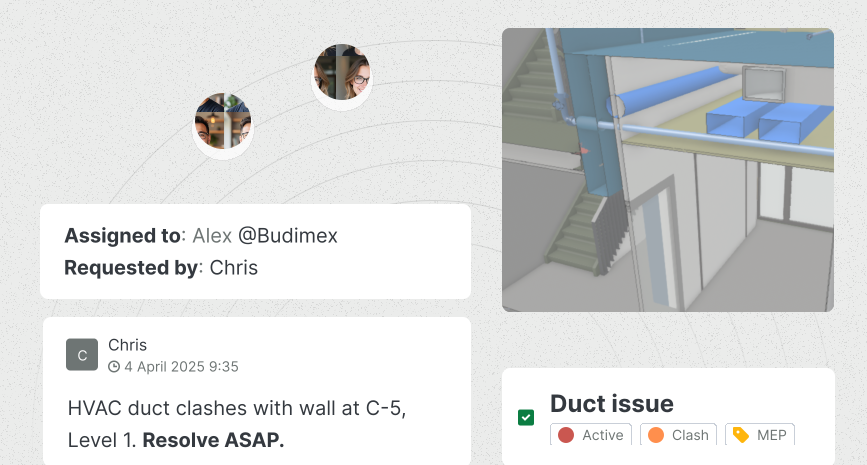
  • See a problem? Create a Topic on the element → attach a live 3D snapshot → assign it to the responsible party with a status.
  • Discuss and approve in one thread pinned to the model, not across phone calls, emails and screenshots nobody can find next month.
  • Every decision is on record: who flagged it, who approved, and when, resolved before it reaches site or handover.

Collision control management

  • Clashes from Solibri or Navisworks sync straight into Hub as Topics, grouped, classified and assigned, not buried in a static report.
  • Each Topic carries a 3D viewpoint and the exact elements → the trade lead pulls it into Revit, Tekla or Archicad → fixes it without leaving their tool.
  • Statuses sync back automatically, so everyone works from one board instead of chasing email copies of a PDF.
  • Most issues are resolved before the coordination meeting, and every decision lands in an audit trail that holds up months later.

Model-based information takeoff

  • Quantities come straight from the federated model, not 2D drawings, not a subcontractor's estimate.
  • Filter to the elements → read count and properties off the geometry → export the schedule to Excel.
  • Missing a material value? It's flagged as a Topic on the exact element and tracked to model update.
  • No extra QTO software. No second extraction. Every number points back to what was designed.

Visual model validation

  • Navigate the latest federated model in the browser, no desktop software, no local install.
  • Walk it by floor → colour-code by IFC type or property (fire-rating, load-bearing) → measure anything that looks off.
  • A misalignment or missing opening? Create a Topic with visual proof, pinned to the exact elements and the responsible trade.
  • Systemic errors, a 250 mm coordinate shift, a wrong level on every floor, surface early, while fixing them is still cheap.

Explore how coordination, clash resolution and takeoff work on a live model.

Get started

10×.

Ask the model. Get an answer.

Most coordination questions are already answered in the model, which doors are missing a fire rating, what changed since rev 09, why one riser move suddenly reads as 75 clashes. Catenda AI reads the models and the issues and answers in plain language: it surfaces missing or misclassified data, summarises what changed between revisions, and groups an imported clash report by root cause.

Catenda doesn't run the check, your tool does, but it makes everything the model knows queryable. And because Hub is MCP-native, your own agents (Copilot, Claude, ChatGPT) can ask the same questions, with the same permissions. No bespoke connector.

Data gap

18 doors, no fire rating

Catenda AI flagged every door missing a required property before permit submission, grouped into one Topic for the design lead.

Clash report

240 hits → 8 issues

One MEP riser move threw 75 duplicate clashes. Grouped, ranked and assigned, the real worklist, not the raw list.

Coordination in the model, not on site.

Previously, comments were written on drawings, but nowadays issues are added to the model. You can also easily upload project documents to Catenda Hub and quickly filter all available information by supplier or by component.

Jan Willem Zeevalkink, BIM Manager at Aan de Stegge
Jan Willem ZeevalkinkBIM Manager, Aan de Stegge · GC, Netherlands
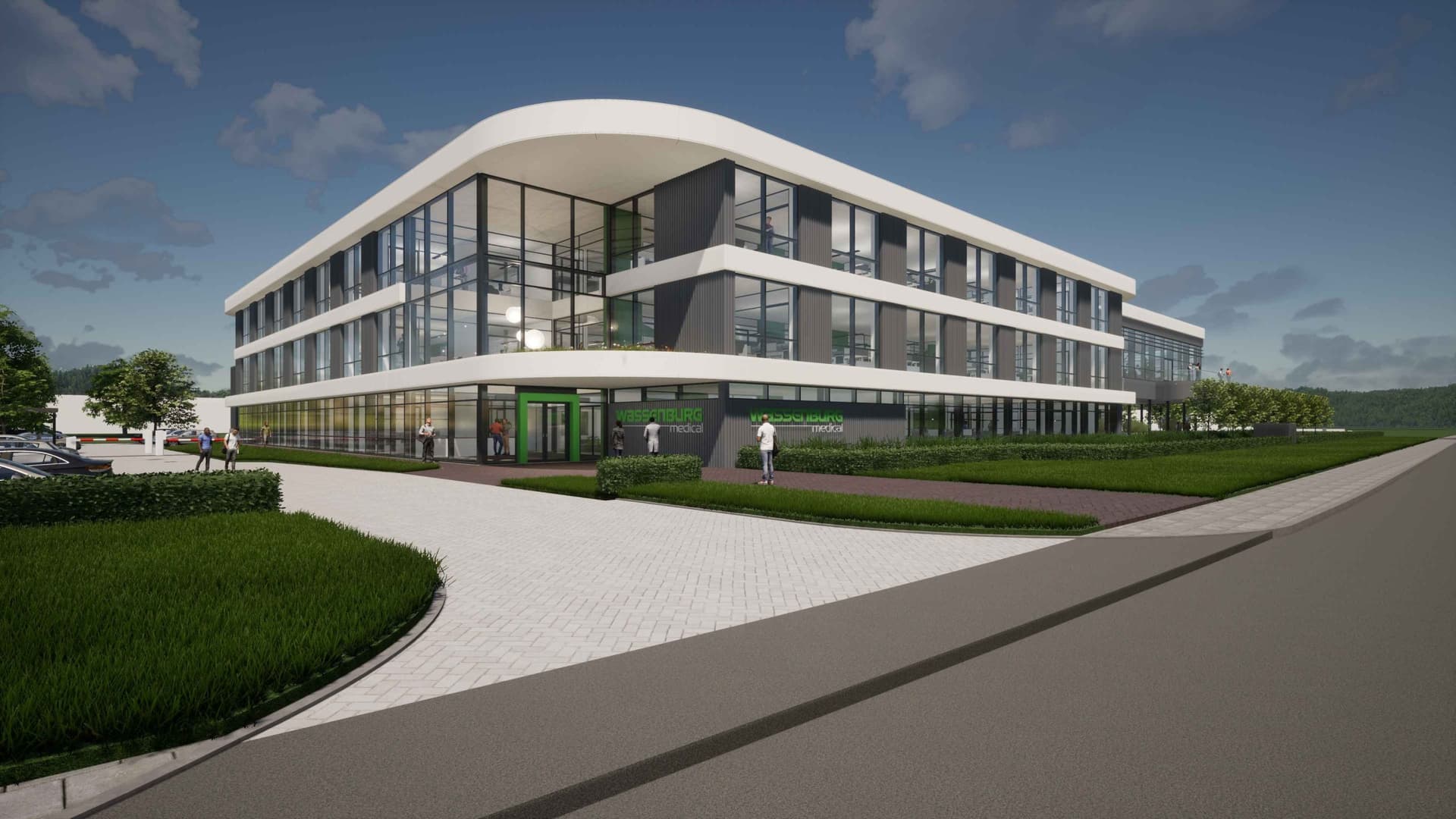
Architectural render of a future-proof commercial building by Aan de Stegge Twello.

This job runs on Catenda Hub.

Coordination lives in the Hub. Catenda AI sits on top of it to triage the clash report so your coordinator works the eight issues that matter, not the 240 hits the rule engine found.

Catenda Hub

Runs this job

The BIM-based CDE where the federated model lives. Upload every discipline, manage BCF issues, and keep one source of truth across the whole project.

  • Federated IFC model viewer
  • Rule-based clash detection
  • Revit · Tekla · ArchiCAD · Solibri
Explore Catenda Hub

Catenda AI

Accelerates it

The layer that turns a raw clash report into a ranked, de-duplicated worklist, grouping by root cause, drafting BCF issues, and summarising what changed between revisions.

  • Clash grouping by root cause
  • Revision diff summaries
  • Drafts BCF + suggests assignee
  • MCP-native, open to your agents
Explore Catenda AI

BIM & Data Management FAQ.

Do I need a desktop tool like Solibri to coordinate in Catenda?

No. The federated model and clash detection run in the browser, on open IFC, with no plugin. If your team already works in Solibri you can import its checks, but the coordination loop itself lives in Catenda, where every discipline and the site team can reach it.

How does BCF round-trip back to Revit and Tekla?

Every clash becomes a BCF artefact carrying its viewpoint, the involved elements, an assignee and a due date. Live connectors for Revit, Tekla and ArchiCAD let the detailer open that exact viewpoint back in their authoring tool, with the comment intact, and push status changes back without leaving it.

Which file formats and authoring tools are supported?

IFC for models, BCF for issues and a REST API with webhooks covers everything else. Free plugins for direct tranfer and view of models and issues are avialable for Solibri, Revit, Tekla, ArchiCAD and more.

What happens to the clash report when a model is re-published?

Clash tests re-run against the current federated set. New clashes are flagged, resolved ones close automatically, and re-introduced ones re-open the original issue. You are always looking at clashes on the revision you are actually building, not a download from a fortnight ago.

Can subcontractors and external teams join coordination without a paid seat?

Yes. External teams join through a magic link, no paid seat, no separate account to manage. Pricing is by project, so federating every discipline's model and inviting everyone who owns a fix costs nothing extra.

Bring the model with the most clashes.

See it catch what site usually finds.

Bring your IFC. That's it.