Catenda

Document
Management

One source for all documents, and every decision about it.

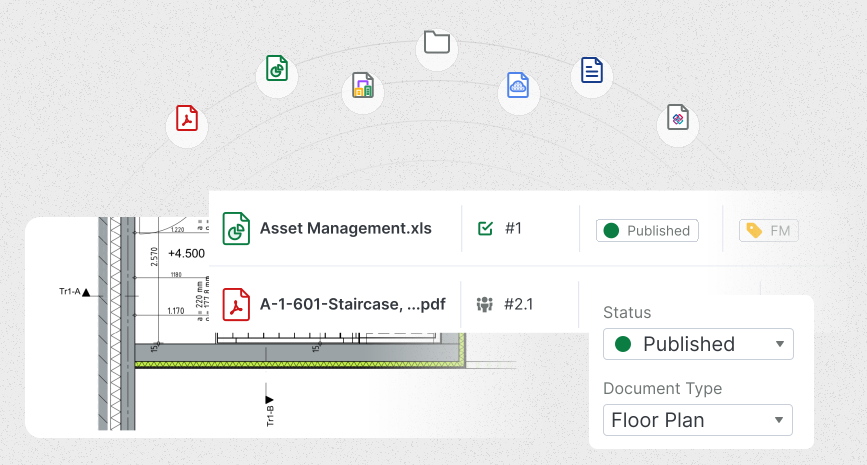
Catenda document management view showing an ISO 19650 document register with files moving through WIP, shared, published and archive stages

The right drawing is not always the one that makes it to site. Someone still built off the wrong one.

The milestone went out as three zips across three emails. The site pulled a drawing off a shared drive that was already superseded. A dimension query left in an inbox that the next crew never saw.

And the sign-off that made it all contractual is somewhere in a sent-mail folder. Every document was there, none of it pointed back to a single source.

A document becomes a record through its history — where it went, what changed, who approved it.
Easy access to the latest version of all available information is the most important advantage. That prevents errors and simplifies the records we need for quality assurance.
Wout Oost, Operations Manager at Van Norel Bouwgroep
Wout OostOperations Manager · Van Norel Bouwgroep

Deliver, review, approve.

Document control is a chain-of-custody problem more than a filing one. Catenda Hub treats it that way: every document sits in a governed CDE, versioned and carried through review, discussion, and approval on the file itself.

Document validation & approval

  • Submit a set of drawings as an approval request → reviewers mark up and log approve or reject in the browser, on the same revision.
  • The document controller sees every recommendation in one view and stamps the contractual status.
  • Approve with comments to release cleared zones while flagged areas cycle back.
  • Every action, reviewer and markup is recorded against the request.

Cross-discipline collaboration

  • Share a design proposal to a governed workspace → trades mark up directly on the drawing, not in an email chain.
  • Turn any markup into a Topic the responsible trade answers from Revit, Tekla or Archicad.
  • Every iteration and named approver stays on one thread anchored to the document.
  • Walk the client through it in the browser and record their provisional approval.

Discovery, viewing & downloading

  • Search the folder structure and open the current revision in the browser, no shared-drive hunt.
  • Version state is visible, WIP or Published so you build from the approved drawing.
  • Something looks off? Mark it up and turn it into a Topic on the drawing, assigned to the design lead.
  • Download the confirmed revision. Access by folder, file and team shows each party their slice.

Document delivery

  • Package the milestone as a collection in one governed location, naming and rename-on-upload keep every document consistent.
  • Set access per recipient and issue a single share link with the delivery's purpose stated up front.
  • Custom metadata fields and labels index the set, so the right party gets the right slice.
  • Months later, “was the fire-door spec in Friday's issue?” is a check against the record, not an inbox search.

Explore how document control, review and delivery work on a live CDE.

Get started

10×.

From inbox to record.

Document control looks like admin, until the moment someone needs proof. Then the question is always the same: who got this, who changed it, who signed it, and can you show it. On most projects the answer is a search through shared drives, zip files and sent mail, reconstructed under contractual pressure months after the fact.

In Hub it's a byproduct of doing the work: every delivery, comment, markup and sign-off is recorded against the document and the revision it concerned, aligned to ISO 19650. Handover, an audit or a dispute becomes a lookup, not an investigation. Two of the moments where that shows up:

delivery

3 emails → 1 record

A milestone that went out as three zips in three inboxes becomes one collection, one link, and a record of who received what. When the client asks three months later whether a spec was in Friday's issue, it's a check, not a search through sent mail.

Published state

“Is this the latest?” → the one to build from

No shared-drive hunt, no stale local copy. Open the Published folder and the revision on screen is the one approved to build from, version state visible, so no crew pours concrete off a superseded drawing.

From email threads to one CDE, in a single project.

Everyone can find the information they need whenever they want, instead of searching for the latest versions of files in the attachments of numerous emails.

Daan Arts, Manager Innovation & Digitalisation at JAJO
Daan ArtsManager Innovation & Digitalisation, JAJO · Construction group, Netherlands
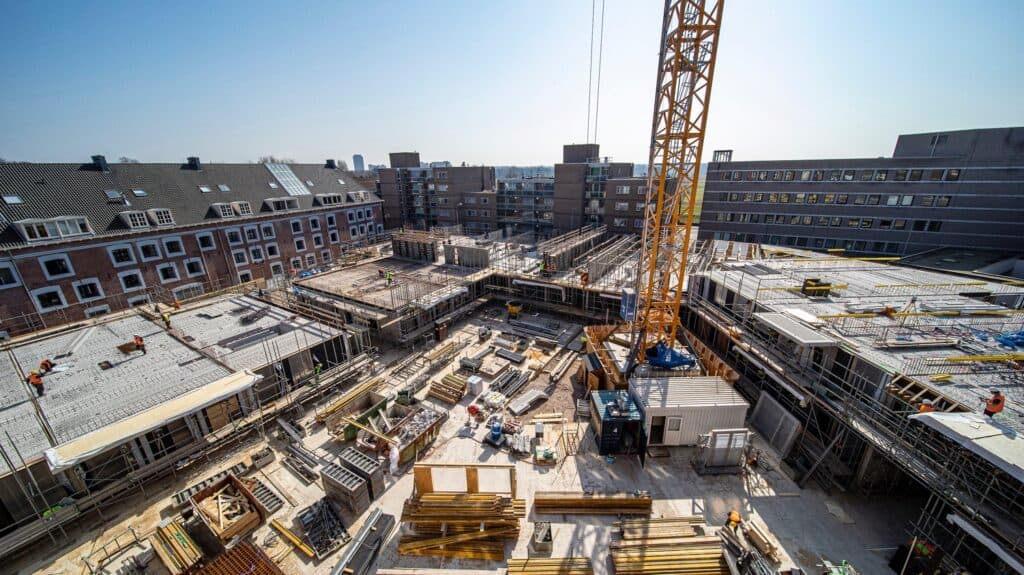
JAJO project team using Catenda Hub as a single CDE

This job runs on Catenda Hub.

Document control lives in the Hub. Catenda AI sits on top of it to read the register for you so you find the right revision and see what changed without digging through folders.

Catenda Hub

Runs this job

The ISO 19650 CDE where every document lives. Control revisions, run transmittals and approvals, and keep one source of truth with the audit trail to prove who did what, and when.

  • ISO 19650 document control
  • Transmittals + approval workflows
  • Full revision history and audit trail
  • One source of truth per project
Explore Catenda Hub

Catenda AI

Accelerates it

The layer that reads the register for you, surfacing the document you need, summarising what changed between revisions, and flagging the approvals still waiting on someone.

  • Natural-language document search
  • Revision diff summaries
  • Flags overdue approvals
  • MCP-native, open to your agents
Explore Catenda AI

Document Management FAQ.

Does Catenda support ISO 19650's CDE requirements?

Yes. Catenda Hub gives you the mechanisms ISO 19650 requires from a CDE - controlled information states, revisions, role-based access, formal approval workflows with full audit trail, federated coordination, and archiving. The standard governs process; Catenda provides the toolset to run it.

How do approvals and transmittals work?

Approval workflows are configurable, serial, parallel or hybrid, with role-based reviewers and mandatory sign-off before anything publishes. Every transmittal is its own record: who sent what to whom, what was acknowledged, what was rejected and why. The audit log is tamper-evident and exportable.

Can subcontractors and external reviewers access documents without a licence?

Yes. External recipients join a transmittal or review through a magic link, no paid seat, no separate account to manage. Pricing is by project, so inviting everyone who touches the information costs nothing extra.

Which file formats and integrations are supported?

IFC, DWG, DGN, PDF and ZIP, with OCR-indexed full-text search. It connects to Revit, ArchiCAD, Tekla, Solibri, Bluebeam and more, plus a REST API and webhooks on every state change.

How does the audit trail hold up if a project is disputed?

Every state change, approval and transmittal is time-stamped and immutable. When a project is contested, the timeline is already there, exportable to PDF, CSV or JSON, with acknowledgement receipts showing what each party saw and when.

Built by the people who shaped ISO 19650.

See it on your project's messiest register.

Bring your messiest register. That's it.