
HRS
How HRS gets consultants to respect model deadlines, with AI Connect.
How HRS's BIM manager uses ChatGPT, connected through Catenda AI Connect, to see which of 100+ models arrived on time before every coordination meeting.
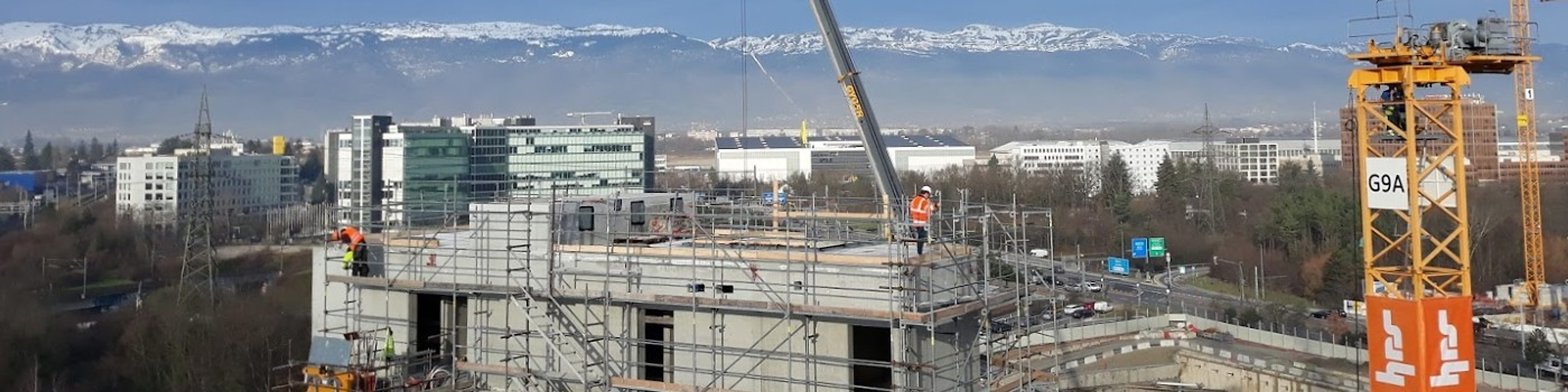
The project in one panel.
- Company
- HRS
- Sector
- Real estate development, general and total contracting
- Region
- Geneva, Switzerland
- Size
- Around 500 specialists
- Project
- Residential development: 6 buildings, 585 apartments, 100+ models
- Products used
100+ models to check, one by one, before coordination could start.
HRS, a Swiss general contractor, builds with emphasis on cost, quality and deadlines, so clashes have to be caught in the models before they reach the site. On a residential development of 6 buildings and 585 apartments, that means coordinating more than 100 models from the consultants every week.
Every Friday, each consultant publishes a specific set of updated models in Catenda. On Monday, HRS's BIM manager and coordinator on the project runs clash detection and leads the coordination meeting.
Before he starts, he needs to report which models were published on time, by whom, and which are missing. That meant checking the models one by one before the coordination work could begin.
When a model arrives late, he either has to postpone some coordination checks or run clash detection on an outdated model, and may need to repeat the checks once the update arrives. Meanwhile, other Catenda users may keep working with models that no longer match the latest 2D documents.
“Before I do my work as coordinator, I want to know who has updated their model and whether it has been published. Before, that took a long time, because I had to check each one.”
What they did with Catenda AI Connect.
The BIM manager now does the check with AI. ChatGPT, connected to the project through AI Connect, fills his custom Excel template with every model's metadata, who published it and when.
The first run needed a detailed prompt. Once it worked, he had the AI turn the conversation into a prompt he could reuse, and that process now runs on every project he coordinates. Each week, bringing the table up to date is a one-line request.
The table shows at a glance which models arrived on time and which didn't. “I can see very quickly whether the models have been published on time. Then I either start clash detection, or I contact people and say: where's your model?”
What changed.
Before coordination starts, he knows which checks he can run with the models available and which consultants he needs to contact. When a model is missing, he calls the consultant before coordination even starts, so no time goes into discussing work that is still waiting for an update.
The weekly table also gives the project a formal record of model submissions, showing which consultants missed their deadlines. The project manager uses it to follow up, get firm commitments and help make sure future deadlines are met.
By his own estimate, ChatGPT saves him 30 - 60 minutes on each check. He doesn't see that as free time, though. He spends it on monitoring and reporting he never had time for before. “I don't work less. I work the same, but I produce different things.”
Before, I didn't do this kind of monitoring report at all, because it took too much time. Now I have better overviews, and consultants respect the deadlines better.
BIM manager & coordinatorHRS · Residential development, Geneva
30–60 min
for the weekly check of every model
100+
models checked before every coordination meeting
1 prompt
reused on every project
More stories from the same shoes.



Your project could be the next story on this page.
See what AI Connect does with your project data.
Bring your Catenda Hub project and the AI assistant you already use.
HRS takes part in the Catenda AI Connect early-access programme.